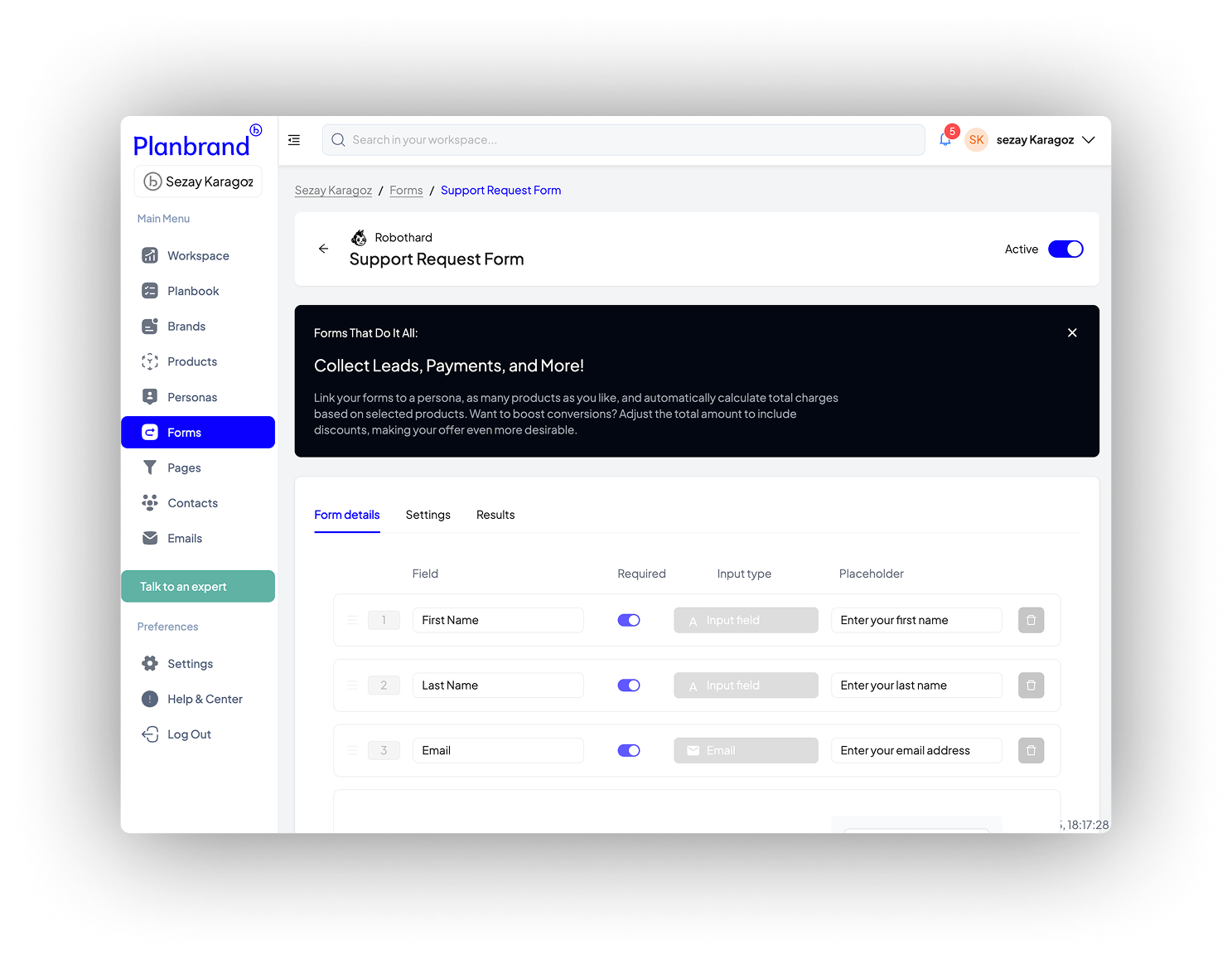
Planbrand Forms
Planbrand Forms
Build Any Form Your Business Needs. Lead generation, surveys, support tickets, feedback, or approvals — all made simple.Create branded forms that capture leads, gather feedback, or collect internal approvals — all connected to your built-in Planbrand CRM.
Flexible form fields for every situation
Flexible form fields for every situation
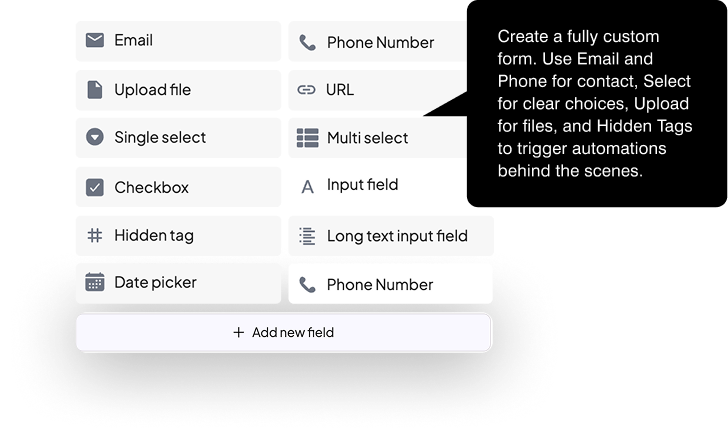
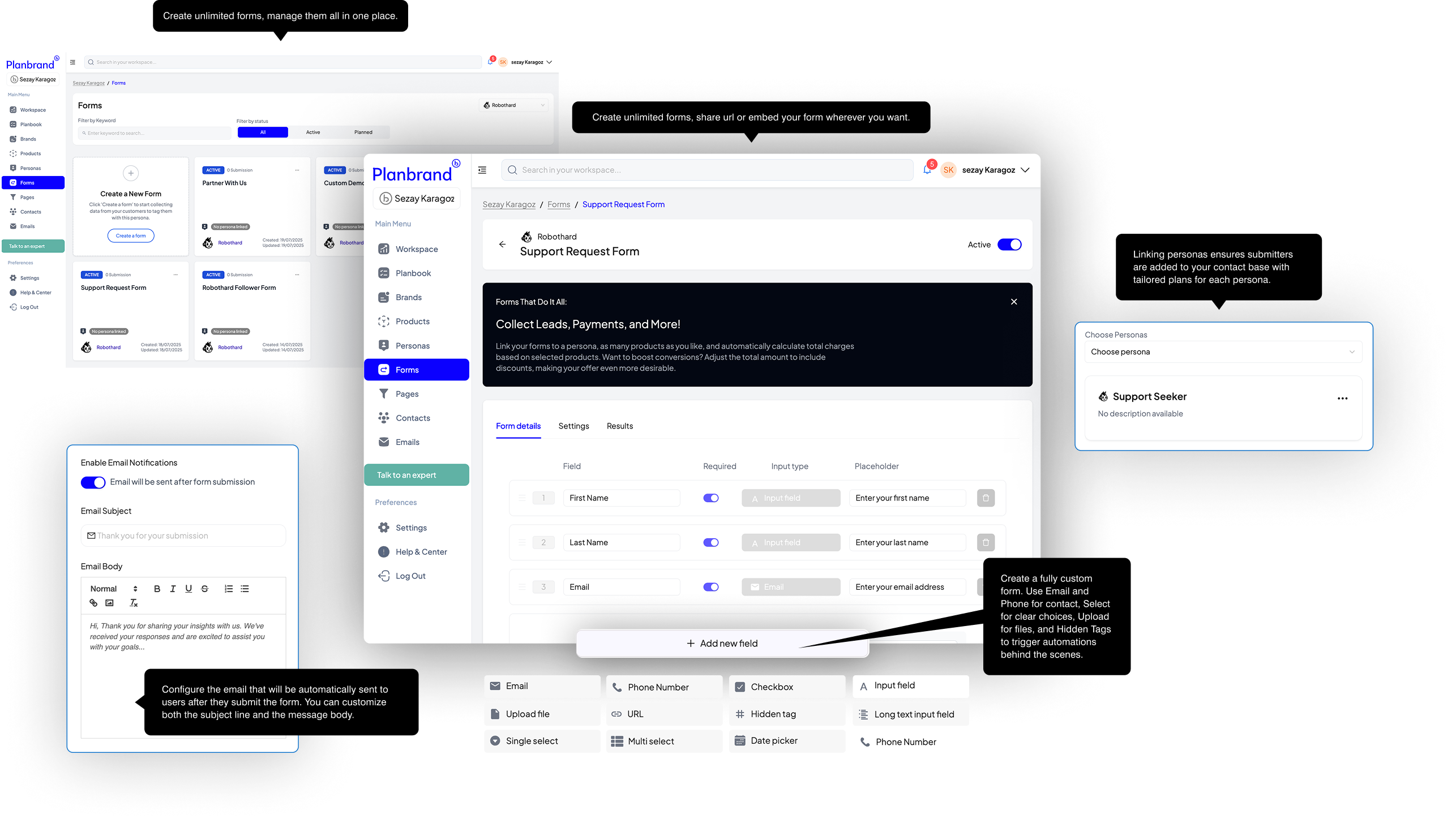
Planbrand Forms give you all the field types you actually need, built in and ready to use. Whether you’re collecting simple contact details or triggering automation behind the scenes, every field has a clear purpose.
You can mix and match fields to fit any use case — from lead capture to support, onboarding, or payments.
Text, email, phone number, and long text fields
Single select, multi-select, and checkboxes for clear choices
File uploads for documents and assets
Date picker and URL fields
Hidden fields to tag contacts and trigger automations
This gives you full control over what you collect and what happens next — without complexity.
Automatic, personalised emails after every submission
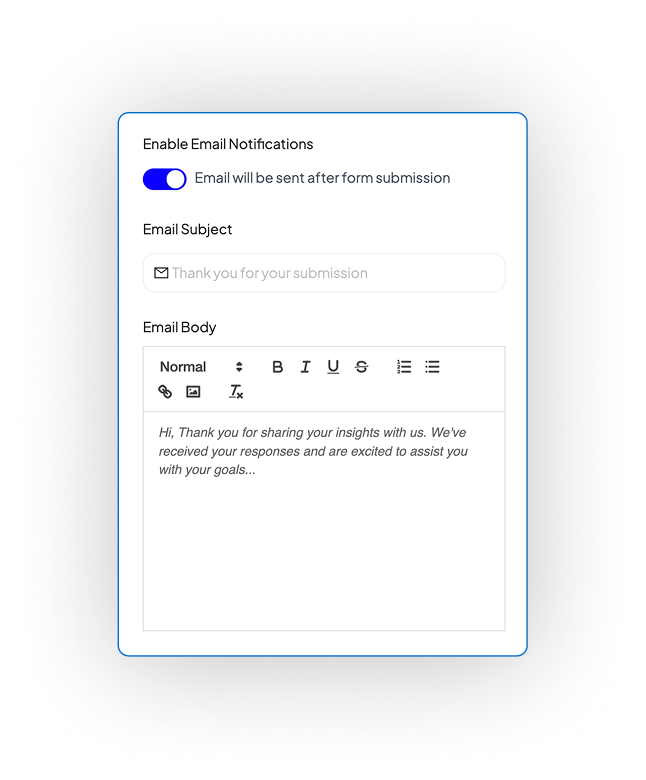
Automatic, personalised emails after every submission
After someone submits a form, Planbrand can automatically send a personalised email — without setting up extra tools. This keeps people informed, reassured, and engaged from the first interaction.
You control the message, tone, and timing.
Send automatic emails instantly after form submission
Personalise the subject and message for the submitter
Confirm receipt, explain next steps, or share information
Keep communication clear and professional without manual follow-up
This turns form submissions into a smooth, confident first experience.
Assign personas at submission to start the right journey
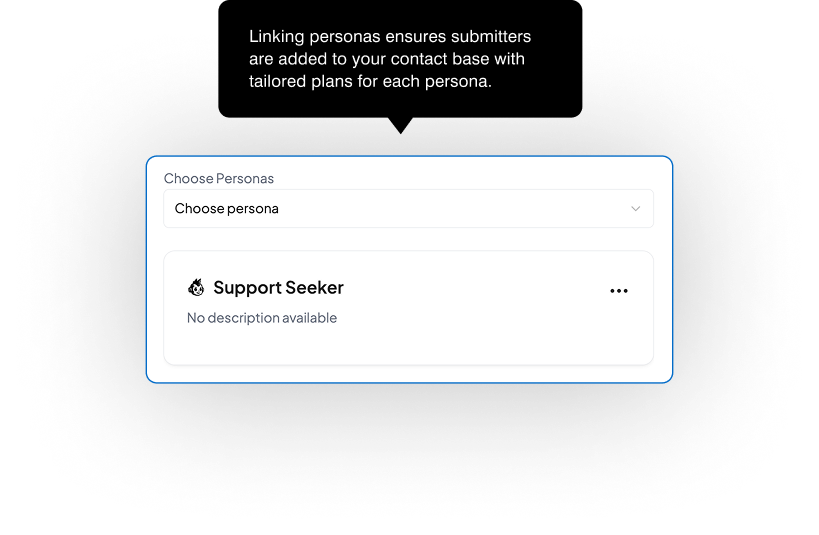
Assign personas at submission to start the right journey
When someone submits a form, you can assign them a persona instantly. That one choice decides which journey they enter, what tasks are created, and how your team should respond.
This removes sorting, tagging, and guesswork after the fact.
Choose the persona at form level
Automatically place the submitter into the correct journey
Trigger the right tasks, stages, and follow-ups
Make sure every contact starts in the right pipeline
This is how forms stop being inbox noise and become the first step in a clear, structured journey.
All of this starts with one form submission
All of this starts with one form submission
One form submission is enough. From that moment, everything is in motion — no extra setup, no manual steps, no follow-ups to remember.
Persona is assigned automatically
The full journey is created instantly
Tasks are ready, assigned, and timed
Nothing is missed or forgotten
This is what zero-setup really means: one action triggers everything.
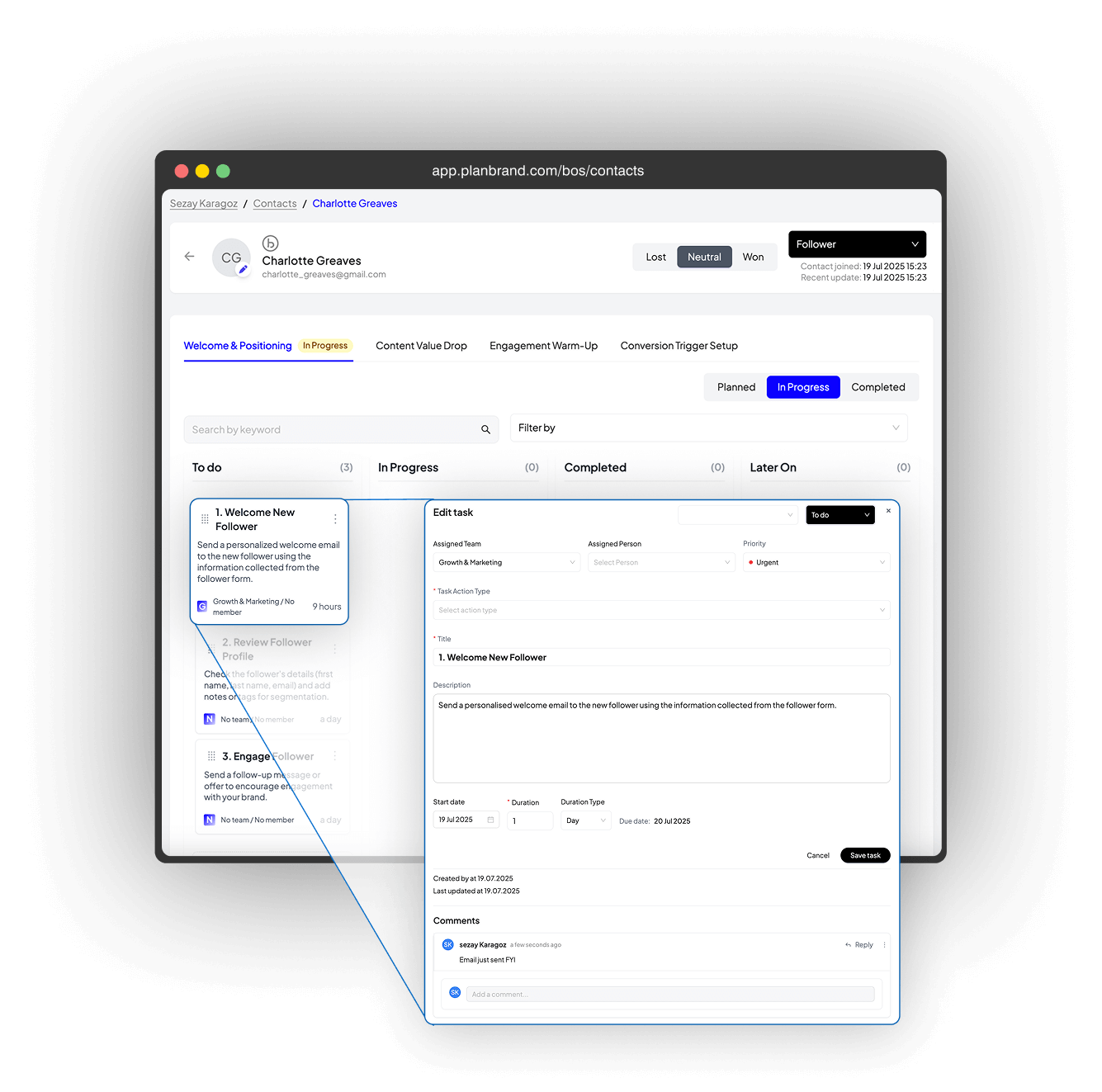
Filter contacts by form. See exactly who did what.
Filter contacts by form. See exactly who did what.
Every form submission is tracked and linked to personas and contacts. This means you can instantly see who came from which form, what they submitted, and what journey they entered — without digging through data.
Everything stays connected and easy to review.
Filter contacts by the form they submitted
See which persona was assigned from that form
Track what actions and journeys were triggered
Understand behaviour and intent at a glance
This gives you full visibility from first click to next action, all in one place.
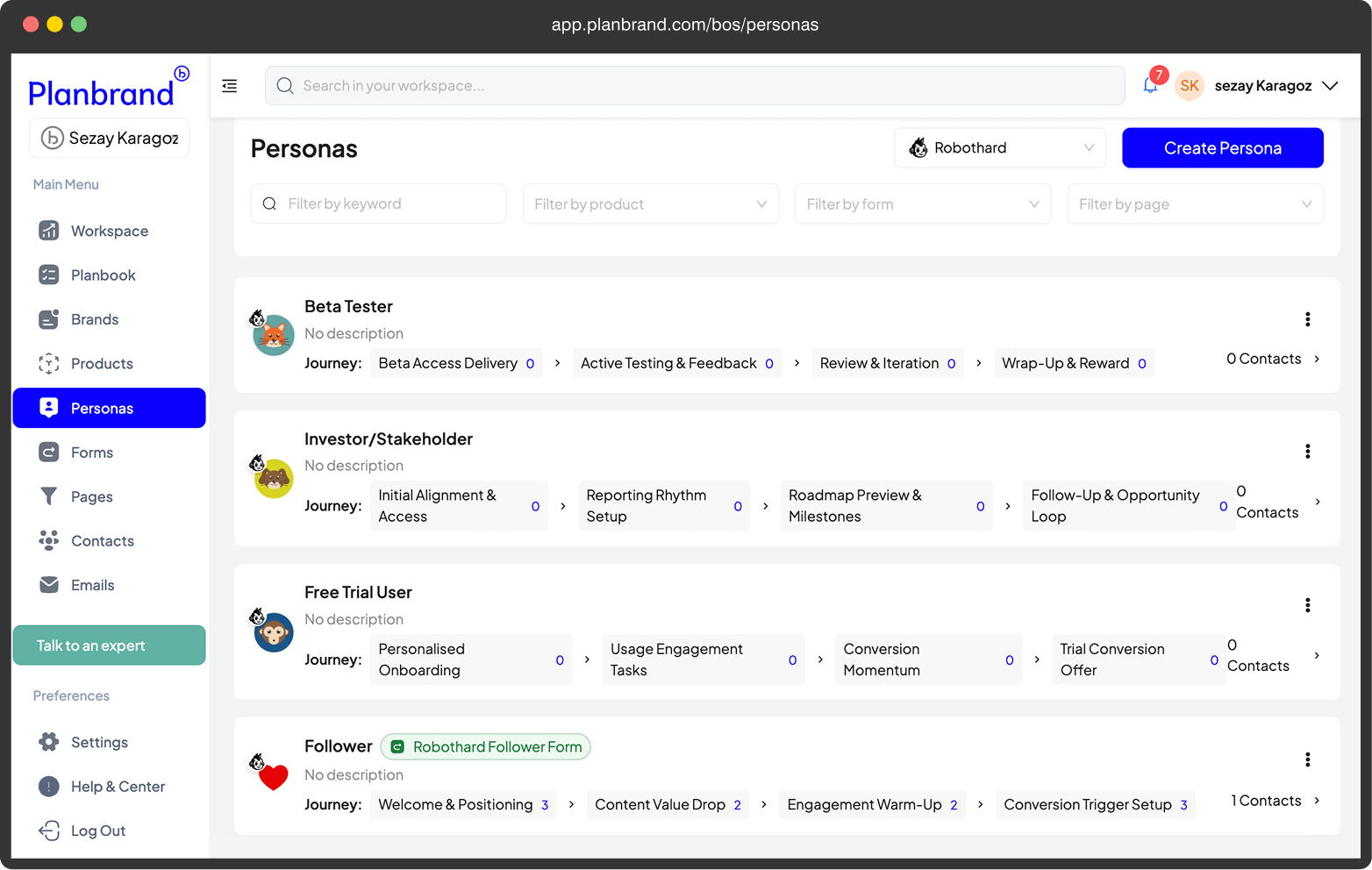
All your forms, in one place
All your forms, in one place
This is your central forms hub. Every form across all your brands lives here — organised, searchable, and easy to manage. No switching tools, no confusion about which form belongs where.
You can see what’s active, what’s planned, and what’s working at a glance.
Manage forms for all brands from one dashboard
See form status, submissions, and updates instantly
Create new forms in seconds
Keep everything structured and easy to find
This keeps form management simple, even as you grow multiple brands.
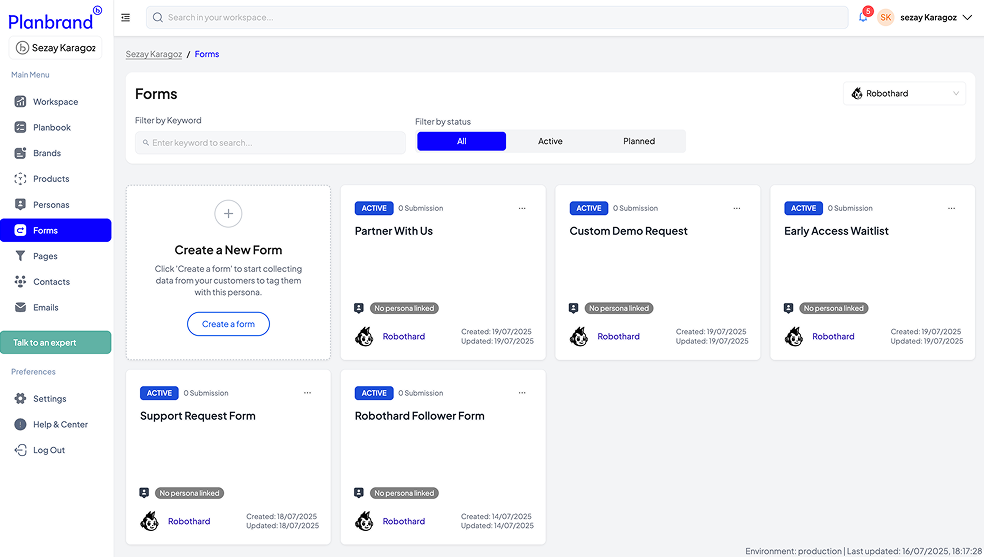
See every form submission, clearly and instantly
See every form submission, clearly and instantly
Every time someone submits a form, their answers are saved exactly as entered and linked to the contact. You can open any submission and see all the details in one clean view — no digging, no exports, no confusion.
This makes it easy to understand intent and act fast.
View full form submission details in one place
See exactly what the person entered, field by field
Connect submissions directly to contacts and journeys
Review, follow up, or take action with full context
This keeps your data clear, usable, and ready when you need it.
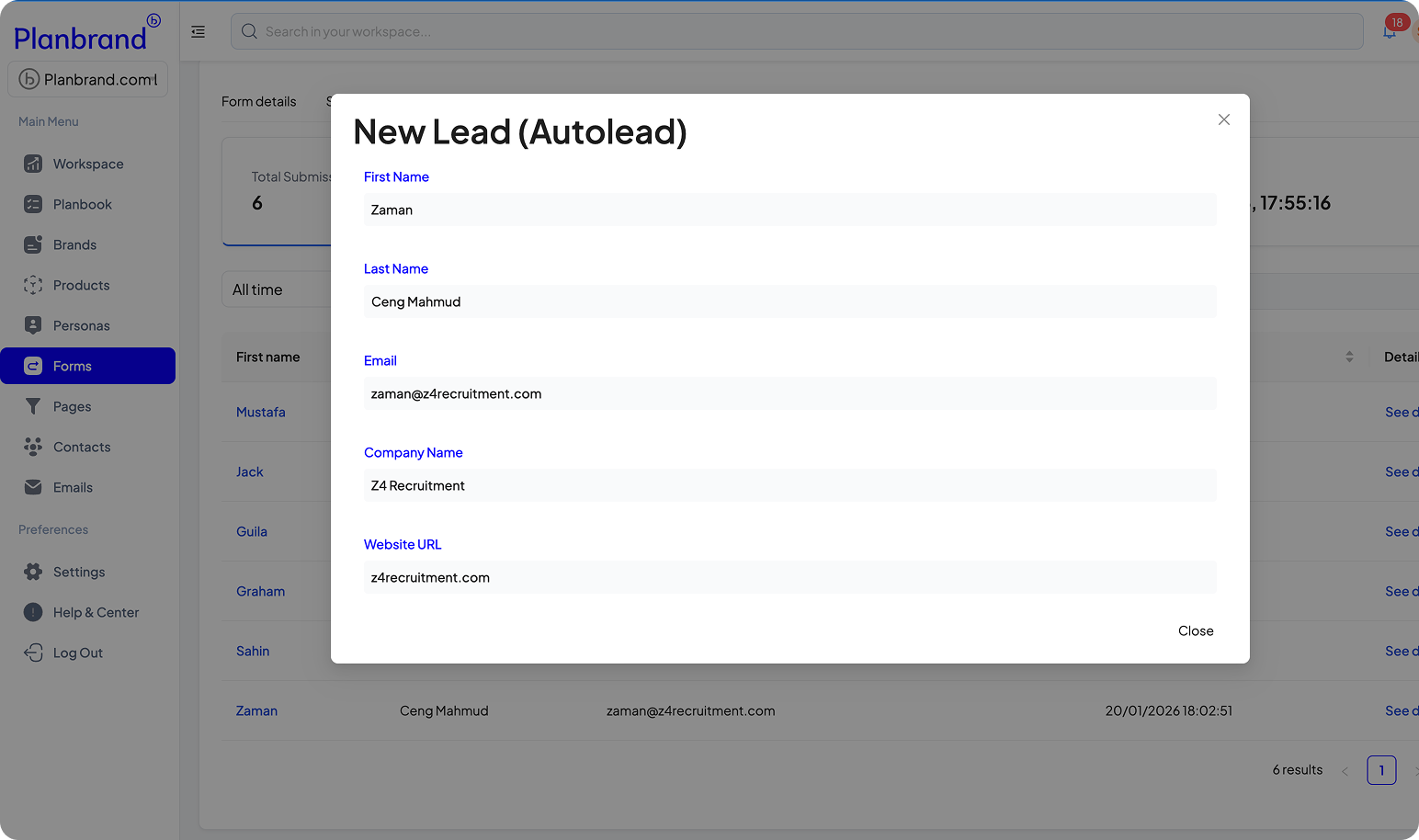
If you liked what you saw, start for free
If you liked what you saw, start for free
If this feels clear, simple, and powerful, you don’t need a demo to imagine it. You’re already using it right now.
If this feels clear, simple, and powerful, you don’t need a demo to imagine it. You’re already using it right now.
Create your account and start building your own brand in Planbrand — free.

You’ve Already Seen Planbrand in Action
Planbrand Forms — Built to Do More Than Collect Data
Planbrand Forms — Built to Do More Than Collect Data
Every submission connects, triggers, and grows your brand automatically.
Every submission connects, triggers, and grows your brand automatically.
You can build anything your
business needs — from lead capture to surveys, app ovals, and support requests — all styled in your brand design. This section helps you understand how Planbrand Forms connect every part of your workspace and turn answers into action.
FAQ's about Planbrand Forms
More Questions and Answers
More Questions and Answers
More Questions and Answers

Contact us
Contact us
Get help with your forms
Get help with your forms
If something isn’t working as expected, you’re in the right place. Tell us which form you’re using and what’s happening, and our team will look into it and help you fix it as quickly as possible.
Form Related Support Request Form
Build beautiful forms that fill your pipeline
Build beautiful forms that fill your pipeline
Planbrand Forms are designed to look clean and professional while doing real work behind the scenes. Every submission doesn’t just collect data — it feeds directly into your pipeline with structure and intent.
You build once. Planbrand turns it into action.
Create clean, on-brand forms with flexible fields
Connect forms to personas, products, and journeys
Automatically turn submissions into contacts and tasks
Fill your pipeline without manual handling
This is how forms become a growth engine, not just a data capture tool.